
Field tests / Measured, not modelled
Field tests
What we measured, where, and on which hardware. Every result here is a single link between two or three nodes. A mesh with more nodes reaches further.
Most of these tests ran on earlier hardware (versions 1.0 to 1.2) with a 159 mW LoRa radio. Version 3 has a 500 mW WiFi radio and a 1 W LoRa radio. We'll add version 3 results here as we measure them.
00Summary
All results
| Date | Test | Hardware | Result |
|---|---|---|---|
| 2026-05-02 | WiFi and LoRa in an apartment complex | 1.2 | WiFi blocked by about 75 m. LoRa held past 250 m. |
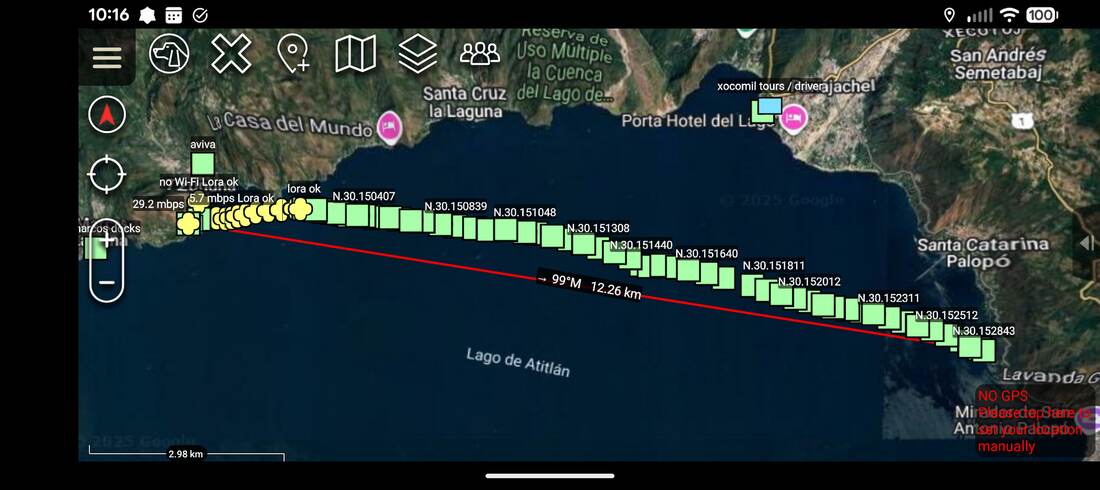
| 2025-11-30 | Maximum range over a lake | 1.1 | WiFi to 1.6 km out, reconnected at 5.5 km in. LoRa held to 12.26 km. |
| 2025-08 | WiFi throughput, three nodes | 1.0 | Good to about 300 m, lost past about 500 m. |
| 2025-08 | WiFi throughput, obstructed | 1.0 | About 1 Mbps at 300 m, lost by 400 m. |
| 2025-05 | WiFi range, open field | 1.0 | Under 1 Mbps at 800 m, lost between 900 m and 1 km. |
| 2025-08 | LoRa range | 1.x | Easy connections at about 8 miles. |
Dates with a day come from the test photos. Dates with only a month are when we first published the result. Jump to the videos.
012026-05-02
Hardware 1.2 / Software 2.9.2 / LoRa 159 mW
WiFi and LoRa in an apartment complex
How far the 2.4 GHz WiFi mesh and LoRa reach between buildings, with no nodes in between to give line of sight.
Setup
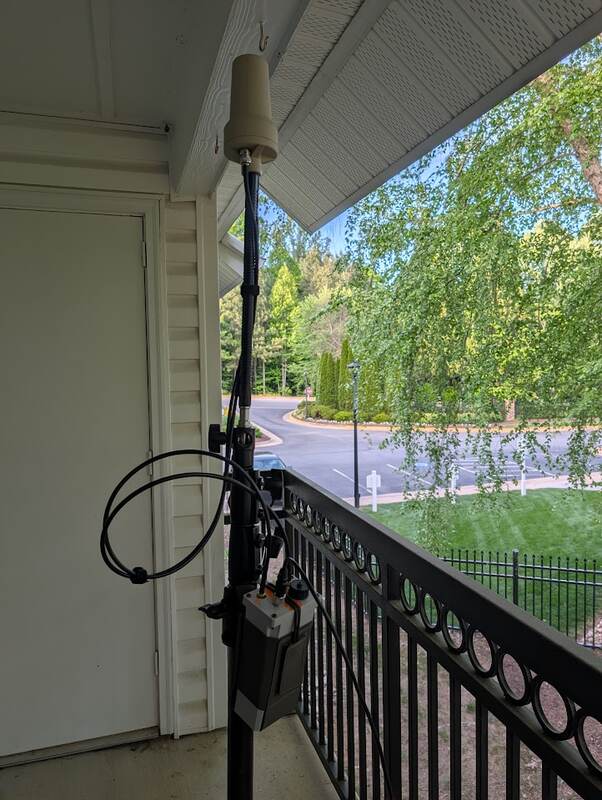
- Node 0023, fixed: on a second-floor balcony, with a yogurt-cup antenna (FIG. 01).
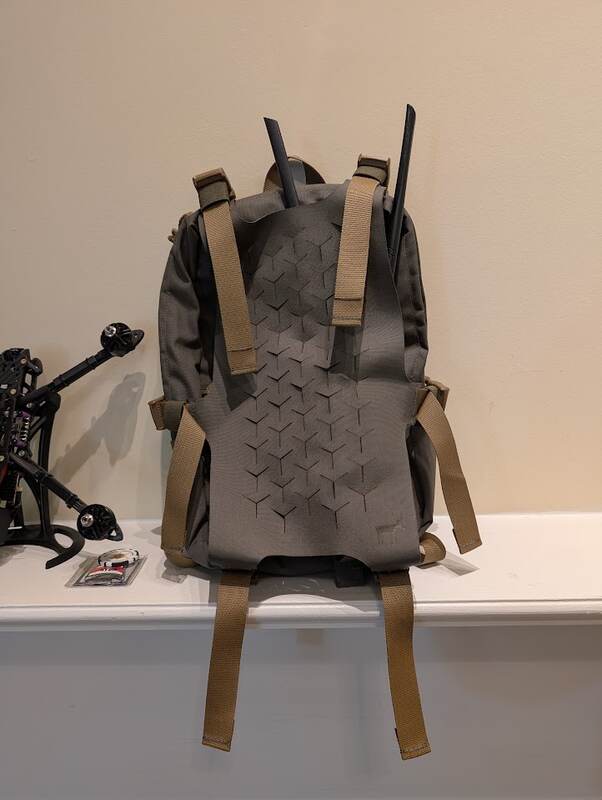
- Node 0022, mobile: stock antennas, carried in a pack (FIG. 02).
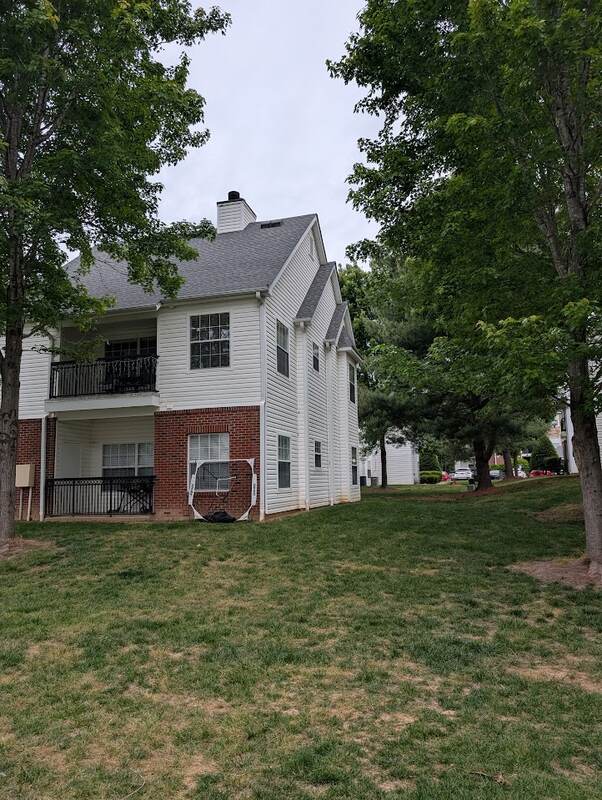
- Site: apartment complex built in 2014, large units of about 1,000 ft² (FIG. 03).
- LoRa: both radios disconnected from the Nucleus and set to Meshtastic range-test mode in the official app. Node 0023 sent every 15 s.
- WiFi: link quality read from the web UI at each stop.
Results
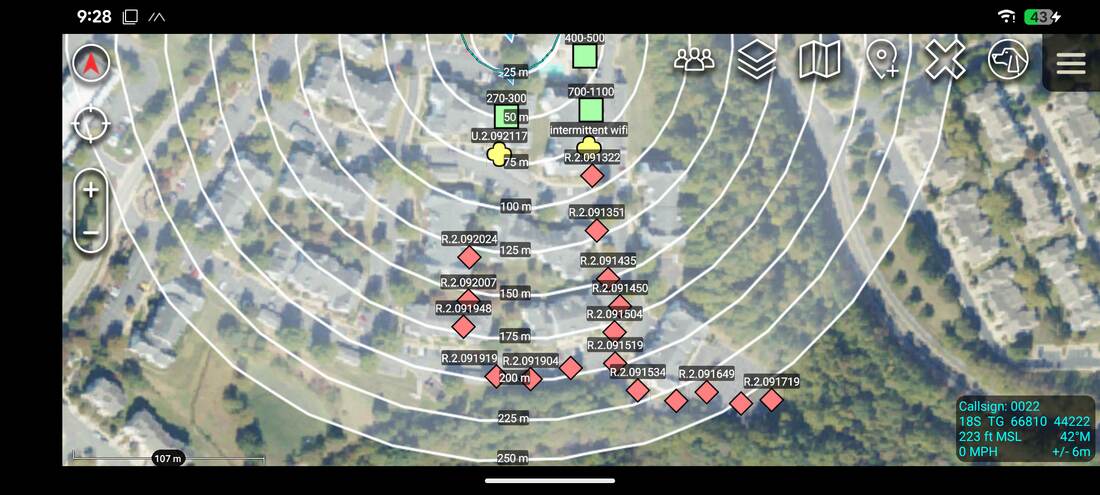
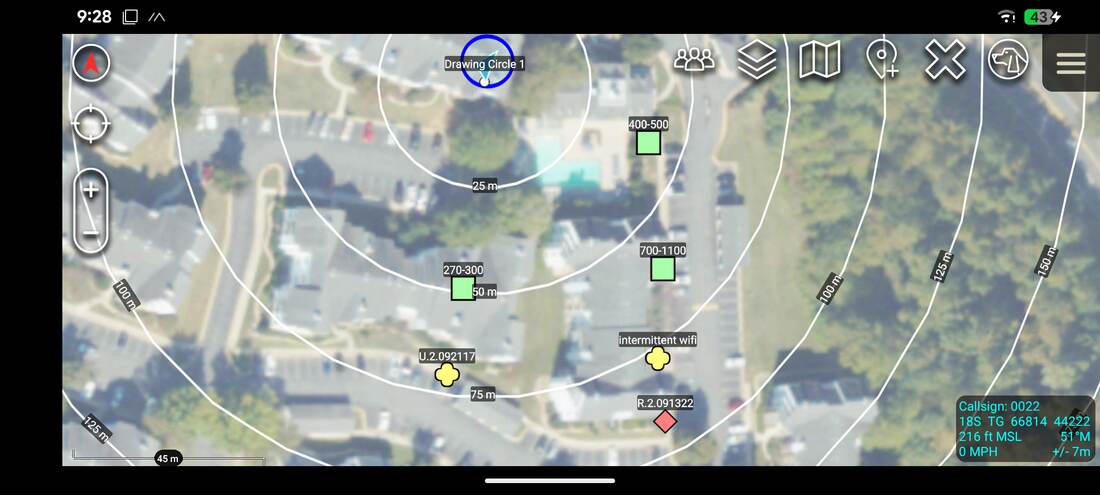
Green markers: WiFi link, with link quality. Yellow: intermittent or poor WiFi. Red diamonds: LoRa pings once WiFi was gone. LoRa didn't miss a ping for the whole run.
| Link | Result |
|---|---|
| 2.4 GHz WiFi mesh | Blocked by a single large building at about 75 m. |
| LoRa | Held across the whole complex, past 250 m. No missed pings. |
That's about what we expected. Without a node in between to give line of sight, one building is enough to stop the WiFi mesh. Compare the lake and open-field tests below to see how much line of sight matters.
022025-11-30
Hardware 1.1 / Software 2.0 / LoRa 159 mW
Maximum range over a lake
The longest WiFi link we could get under very favourable conditions, with LoRa checked across the whole lake.
Setup
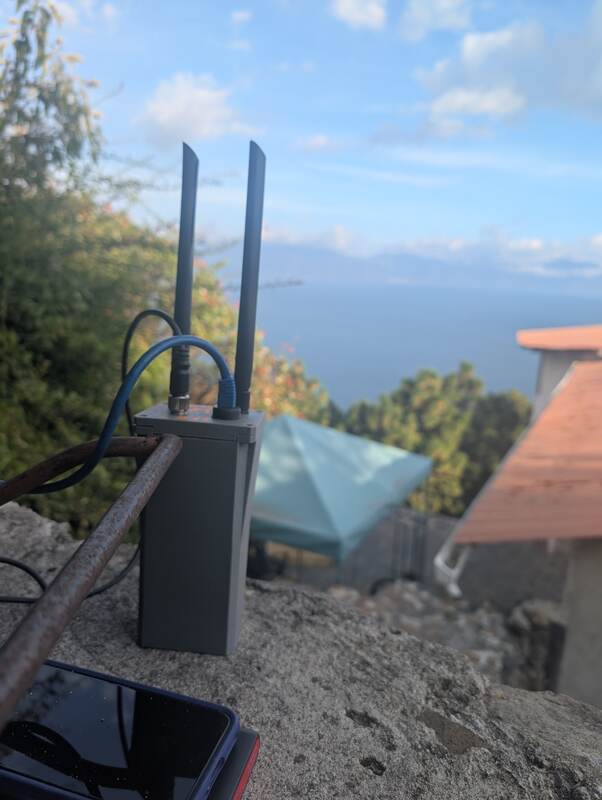
- Fixed node about 48 m above the lake, its Meshtastic radio in range-test mode (FIG. 06).
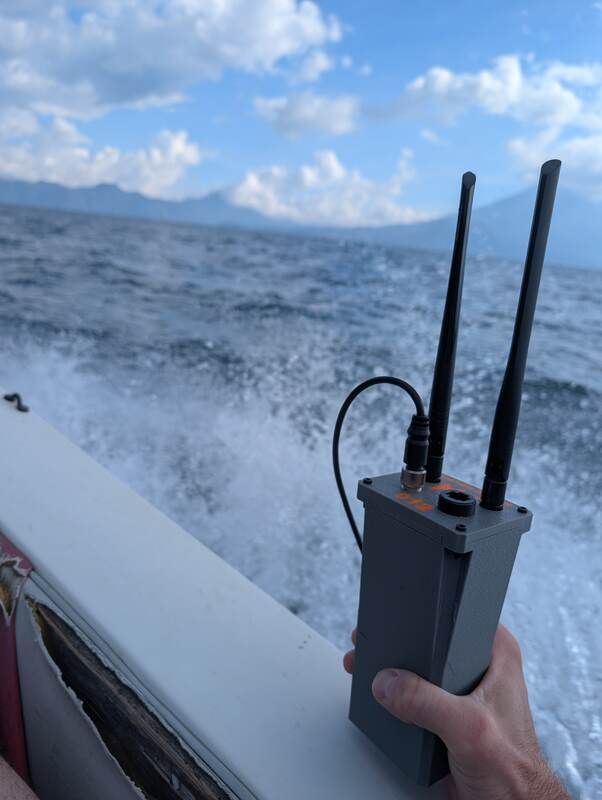
- Mobile node on a boat (FIG. 07). WiFi tracked in its web UI, LoRa pings counted by its Meshtastic radio.
Results
| Leg | Distance | Result |
|---|---|---|
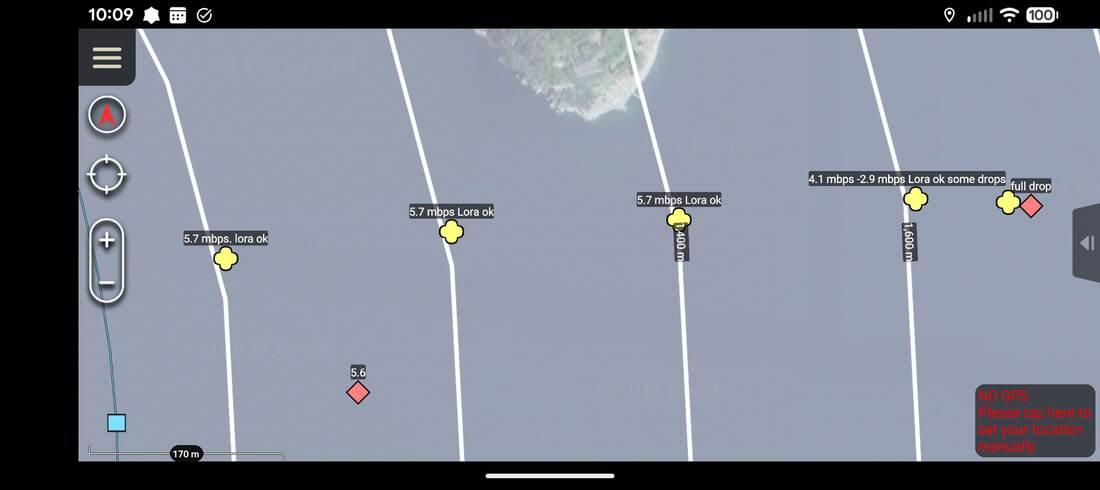
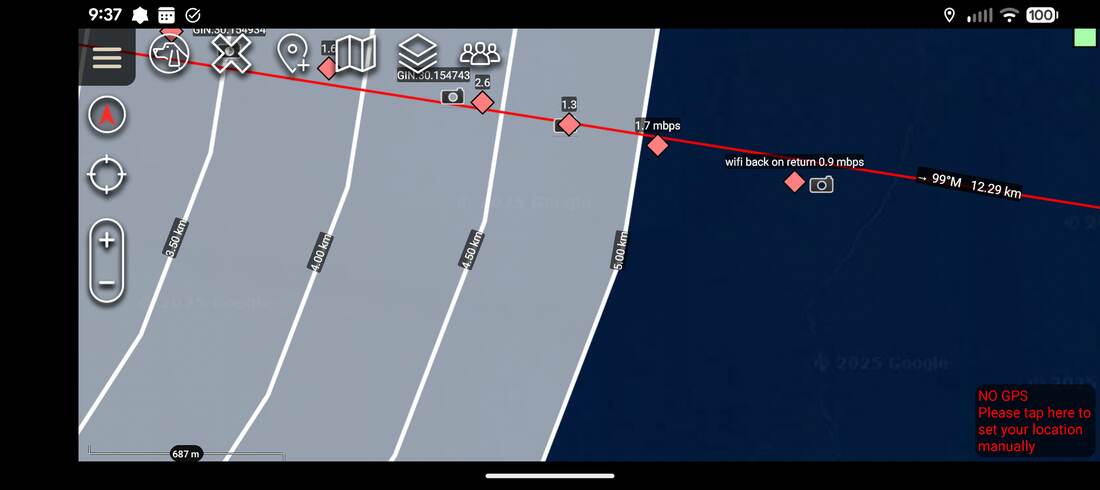
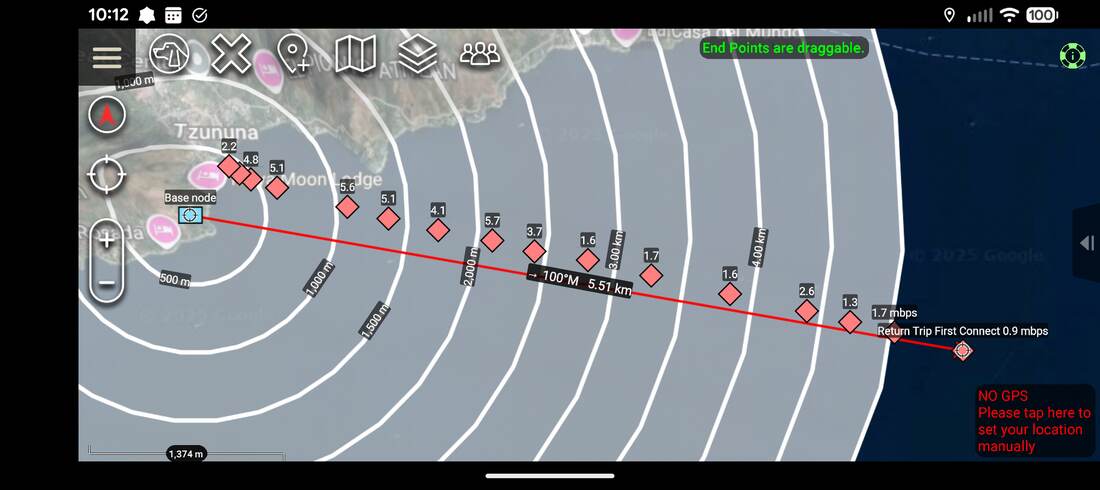
| Outbound, WiFi | ~1,600 m | Throughput fell from 5.7 to about 2.9 Mbps, then cut out before 1,700 m (FIG. 08). |
| Outbound, LoRa | 12.26 km | No missed pings. We ran out of lake and turned back (FIG. 09). |
| Return, WiFi | ~5.5 km | On a slightly different heading, the mesh reconnected at about 5.5 km (FIG. 10). About 4 Mbps between 2 and 2.5 km, rising as we got closer. |
| Return, WiFi | ~500 m | Throughput dipped, likely terrain between the fixed node and the dock (FIG. 11). |
032025-08
Hardware 1.0 / Software 0.9
WiFi throughput, three nodes
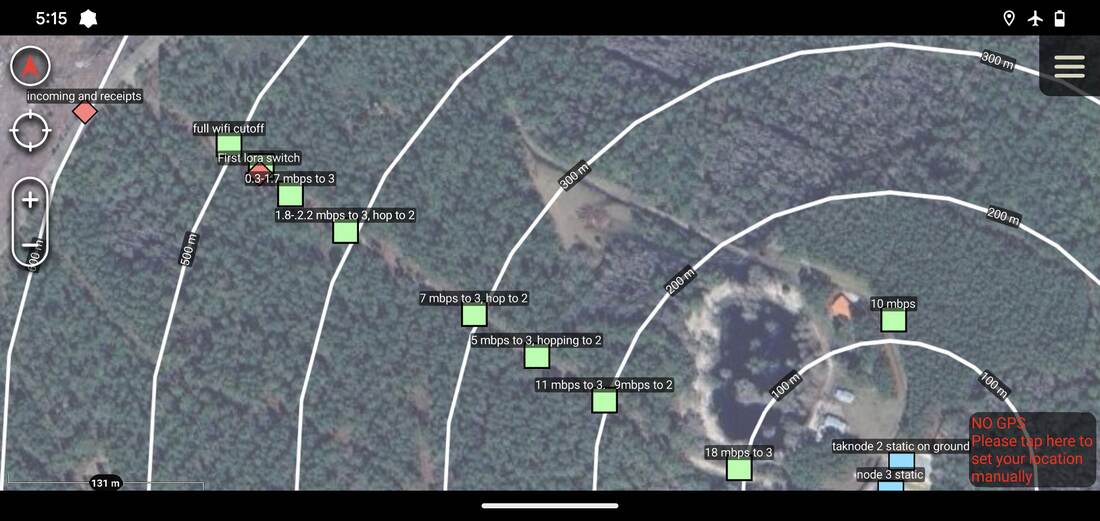
- Three nodes with stock antennas, over mixed terrain with trees.
- Node 1, mobile, carried at about 4 ft. Node 3 fixed at about 4 ft. Node 2 on the ground in clutter, with line of sight to node 3, to force the mesh to hop.
- Throughput read from the mesh statistics of the time (BATMAN, used before V3 OS).
| Conditions | Result |
|---|---|
| Clear line of sight | Good throughput to about 300 m, then a sharp drop. |
| Trees in the way | Lost completely past about 500 m. |
042025-08
Hardware 1.0 / Software 0.9
WiFi throughput, obstructed
- Two nodes with stock antennas, both at about 4 ft, linked directly.
- More obstructions than the three-node test. Throughput from BATMAN statistics.
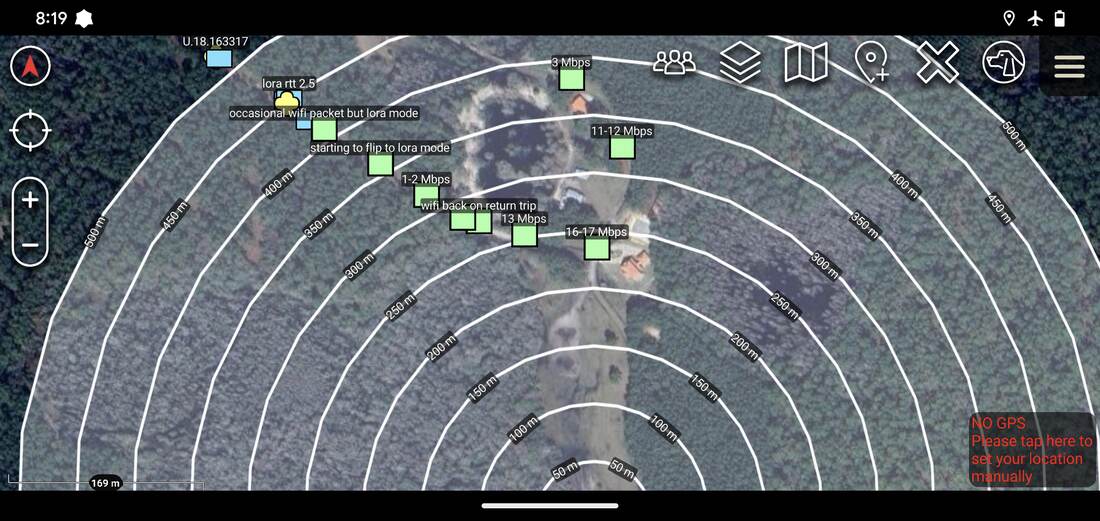
| Distance | Result |
|---|---|
| 250 to 320 m, mostly clear | Only a mild drop in throughput (north side of the site). |
| 300 m, obstructed | About 1 Mbps. |
| 320 to 370 m, obstructed | Throughput cut sharply. |
| 350 m | Noticeable dropouts. |
| 400 m | Link mostly lost. |
Obstructions cut WiFi throughput and stability much faster than distance does.
052025-05
Hardware 1.0 / Software 0.9
WiFi range, open field
- Two nodes with stock antennas, both at about 4 ft, in an open field with clear line of sight.
- One fixed, one on an off-highway vehicle. Data rate from BATMAN statistics.
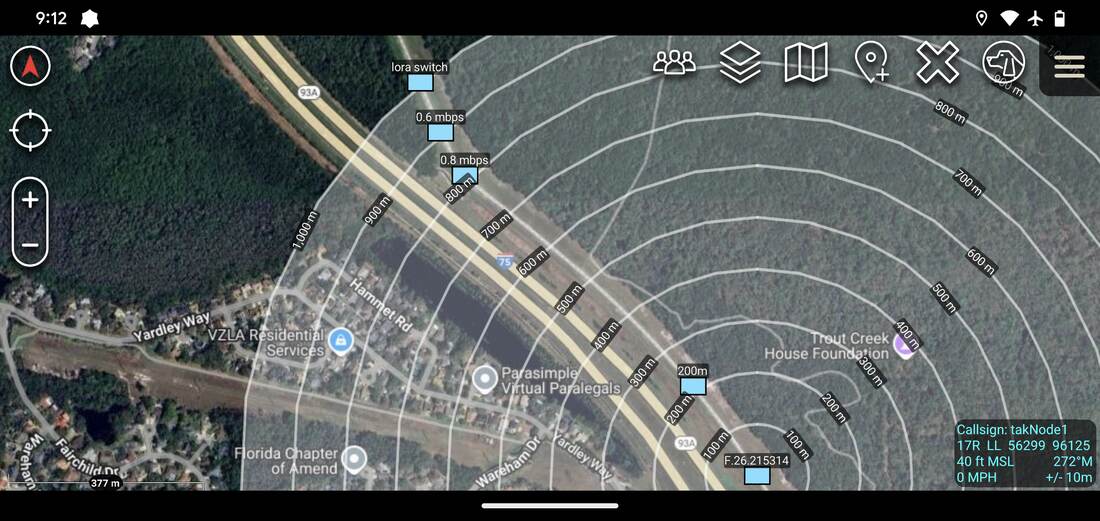
| Distance | Result |
|---|---|
| 800 m | Below 1 Mbps. |
| 900 m | Link still up. |
| 900 m to 1 km | Link lost. |
062025-08
Hardware 1.x / RAK4631 / LoRa 159 mW
LoRa range
We've connected easily at about 8 miles. We spend most of our test time on WiFi, because Meshtastic range is already well documented by its users. See the Meshtastic range tests.
07Videos
Videos
Demos and walkthroughs, newest first. Videos from before the version 3 release (2026-08-24) show earlier hardware. Each one loads from YouTube (youtube-nocookie.com) only when you press play.
 Play 4:15
 Play 2:10
 Play 5:54
 Play 3:48
 Play 4:02
More on our YouTube channel.
Test it yourself
Range depends on where you put the nodes and how many you have. A mesh needs at least two.