Testing Data
Performance metrics and testing results for Natak Mesh products
WiFi Testing Results
This page presents field test results focusing on WiFi connection performance. These results show WiFi capabilities of the Nucleus V1 nodes only. The Nucleus V1 also includes an onboard RAK4631 Meshtastic radio for longer-range communication. More data will be added as it's acquired.
Wi-Fi/LoRa Combined Performance in Congested Area
Test Setup
Node 0023 connected to yogurt cup antenna on second story balcony (see Fig. 1).
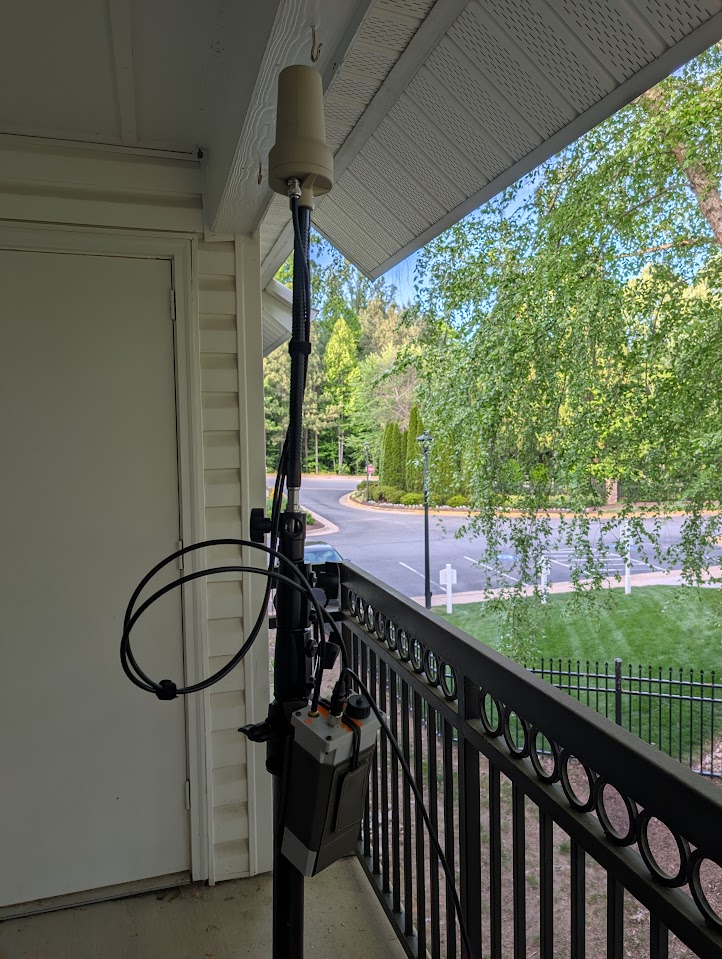
Figure 1
Node 0022 using stock Nucleus antennas was mounted in a pack as this was the mobile node for the test. See Fig. 2.
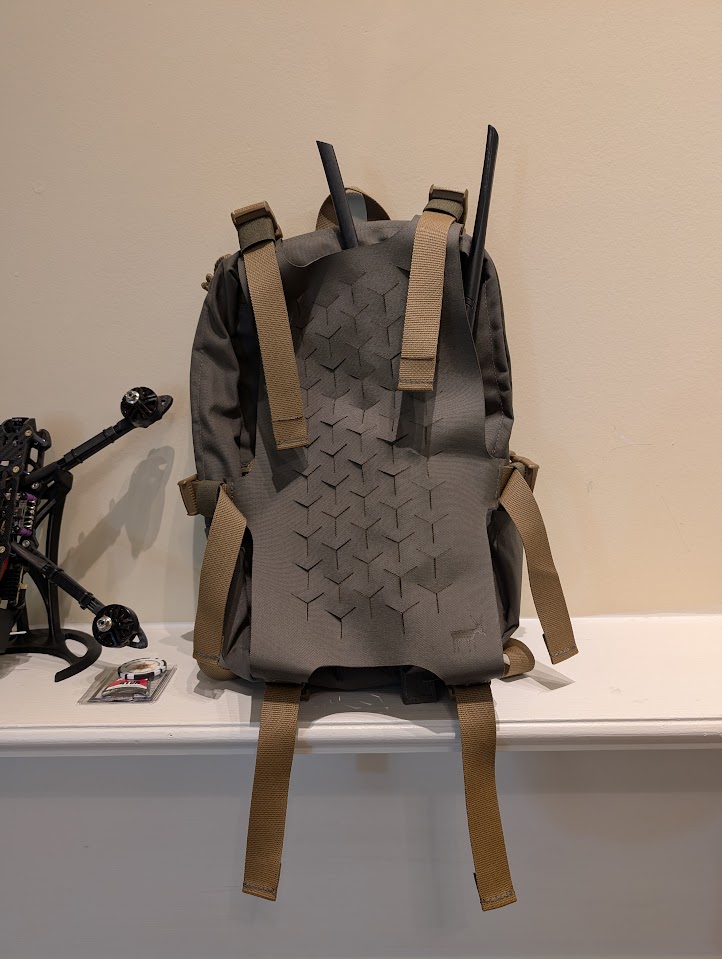
Figure 2
The area was an apartment complex of relatively large apartments (~1,000+ ft²) built in 2014. Typical structure shown in Fig. 3.
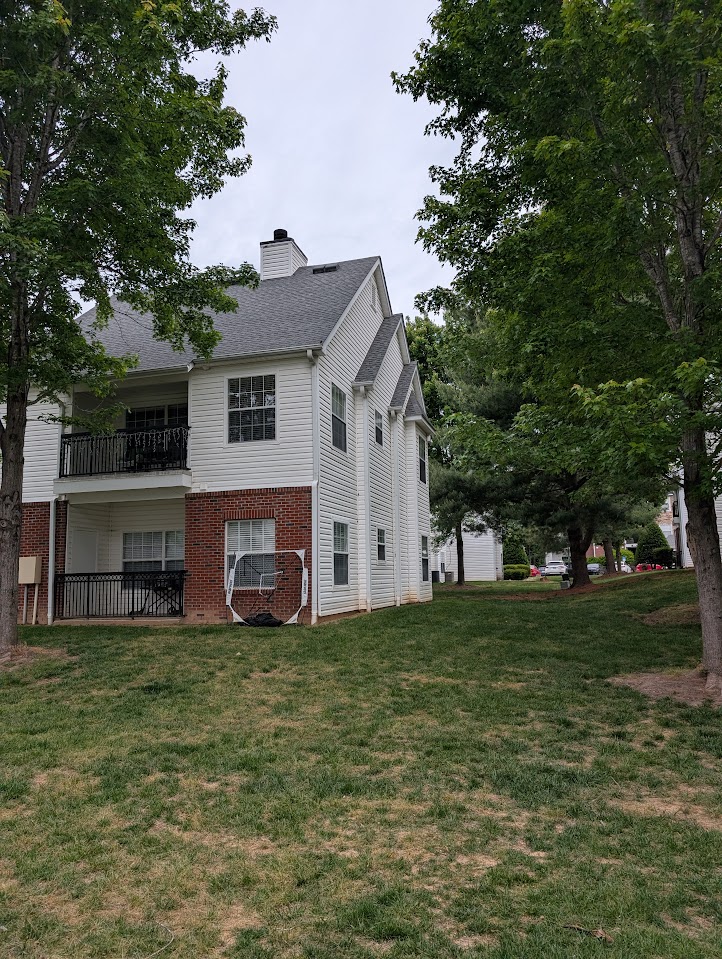
Figure 3
The test was performed as follows. Node 0022 and 0023 Meshtastic radios were disconnected from the Nucleus serial connection and connected to the official app. They were both set into range test mode with Node 0023 (stationary) set to a 15 second transmit cycle.
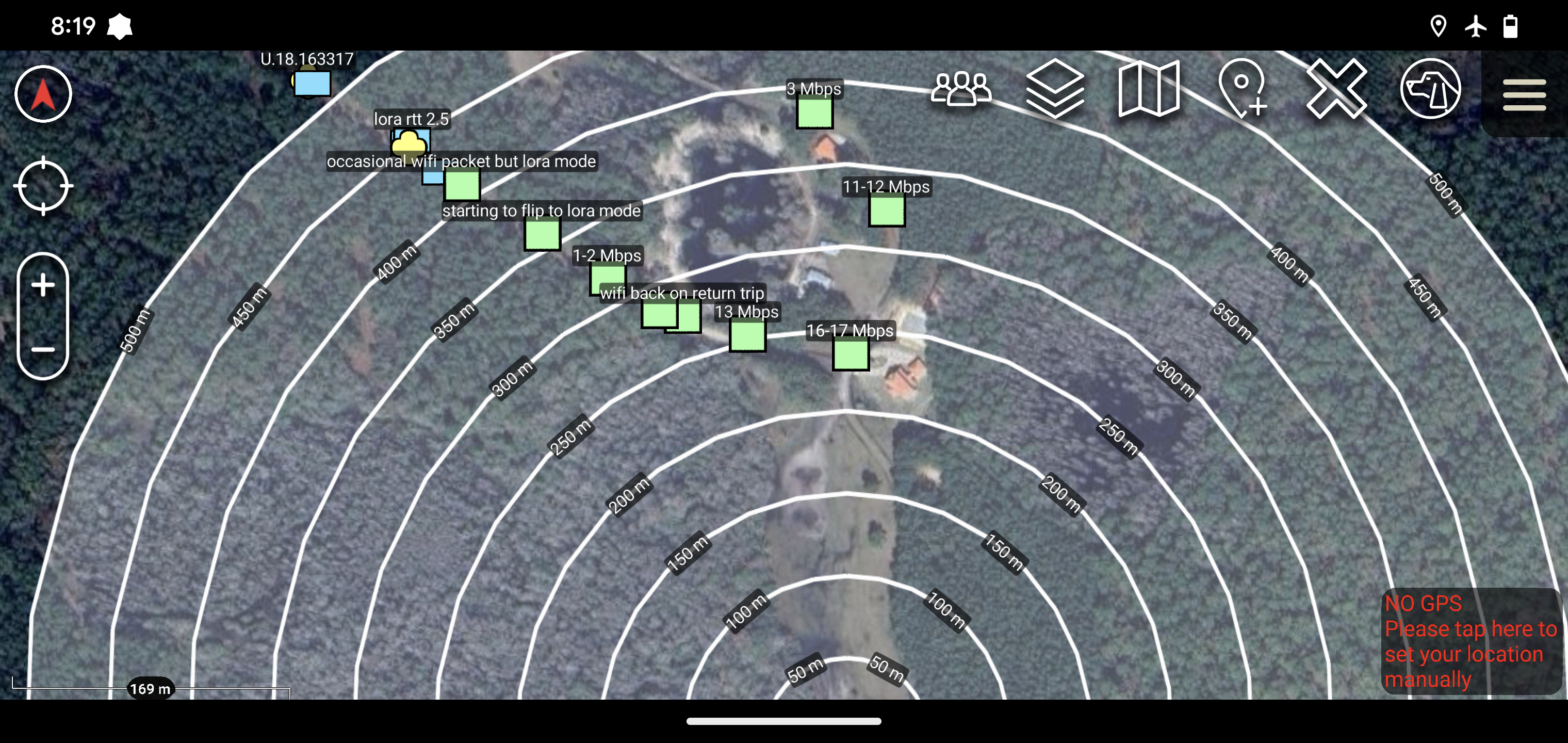
Node 0022 was then transported around the complex. Wi-Fi was monitored via the Nucleus_OS web UI with the link quality reported at each location (green markers). Yellow markers indicate intermittent/poor Wi-Fi connection. Once Wi-Fi was lost, LoRa pings were noted with red diamonds. No failure was noted for the LoRa connections — pings were constant throughout the entire test run. See following figures.
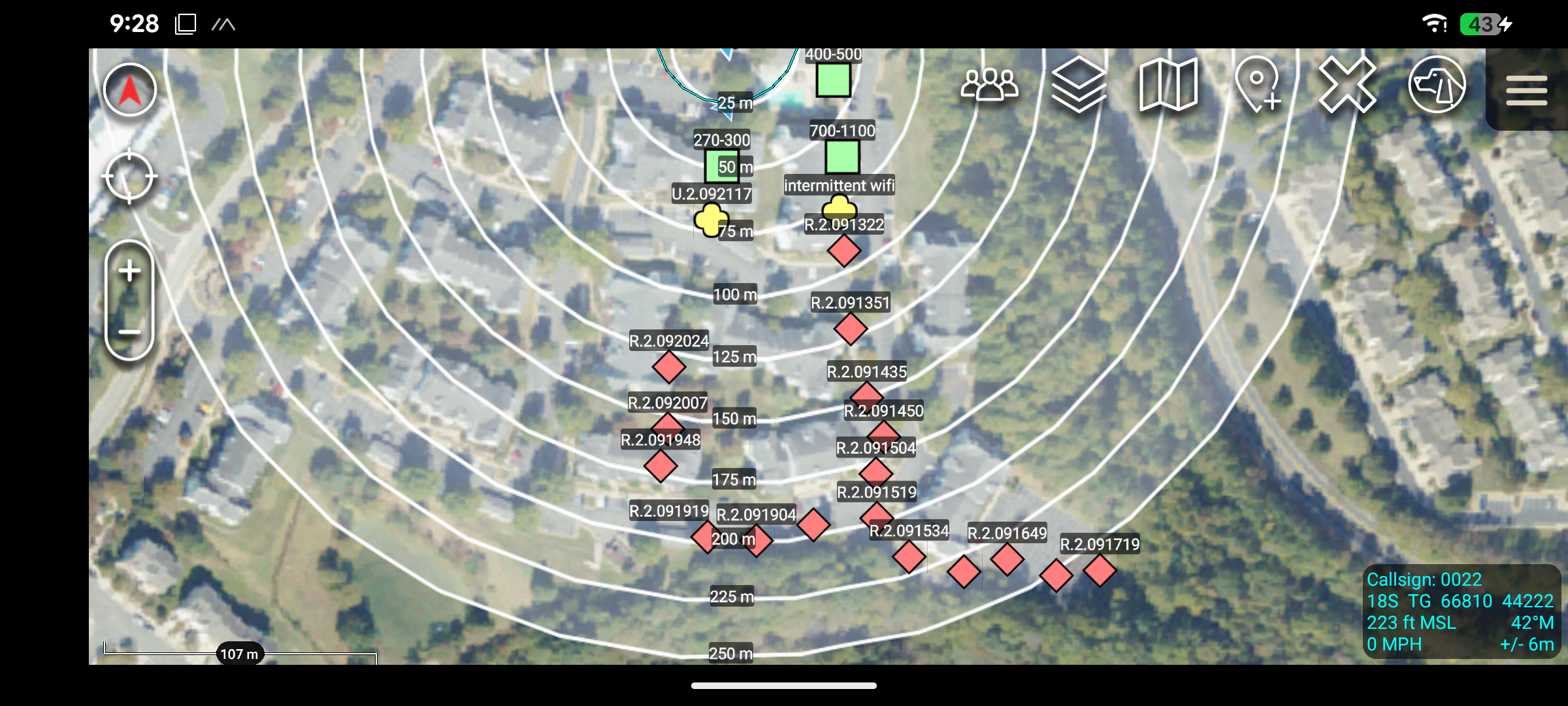
Figure 4
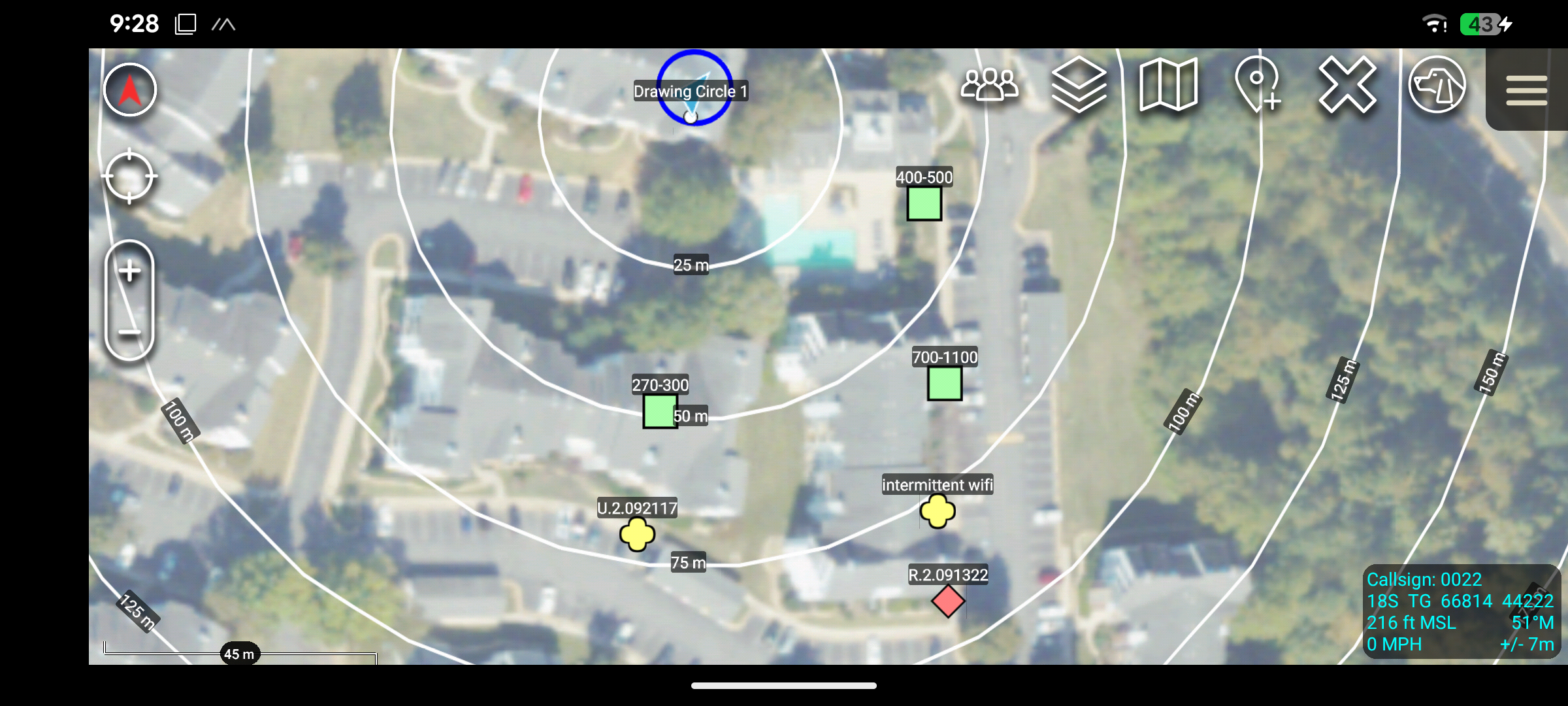
Figure 5
Analysis
Wi-Fi performance was about as expected. With no intermediate mesh nodes to provide line of sight, single large apartment buildings proved to be enough to block the IP mesh by ~75 meters. The LoRa radio had no issues holding a connection across the entire complex out to 250+ meters.
Compare these figures to the Wi-Fi range tests done previously to note the impact of line of sight on the high speed IP mesh.
Maximum Nucleus Range Test
This test measures the maximum range of the Nucleus under extremely favorable conditions. LoRa connection was also checked across the full range offered by the test area.
Test Setup
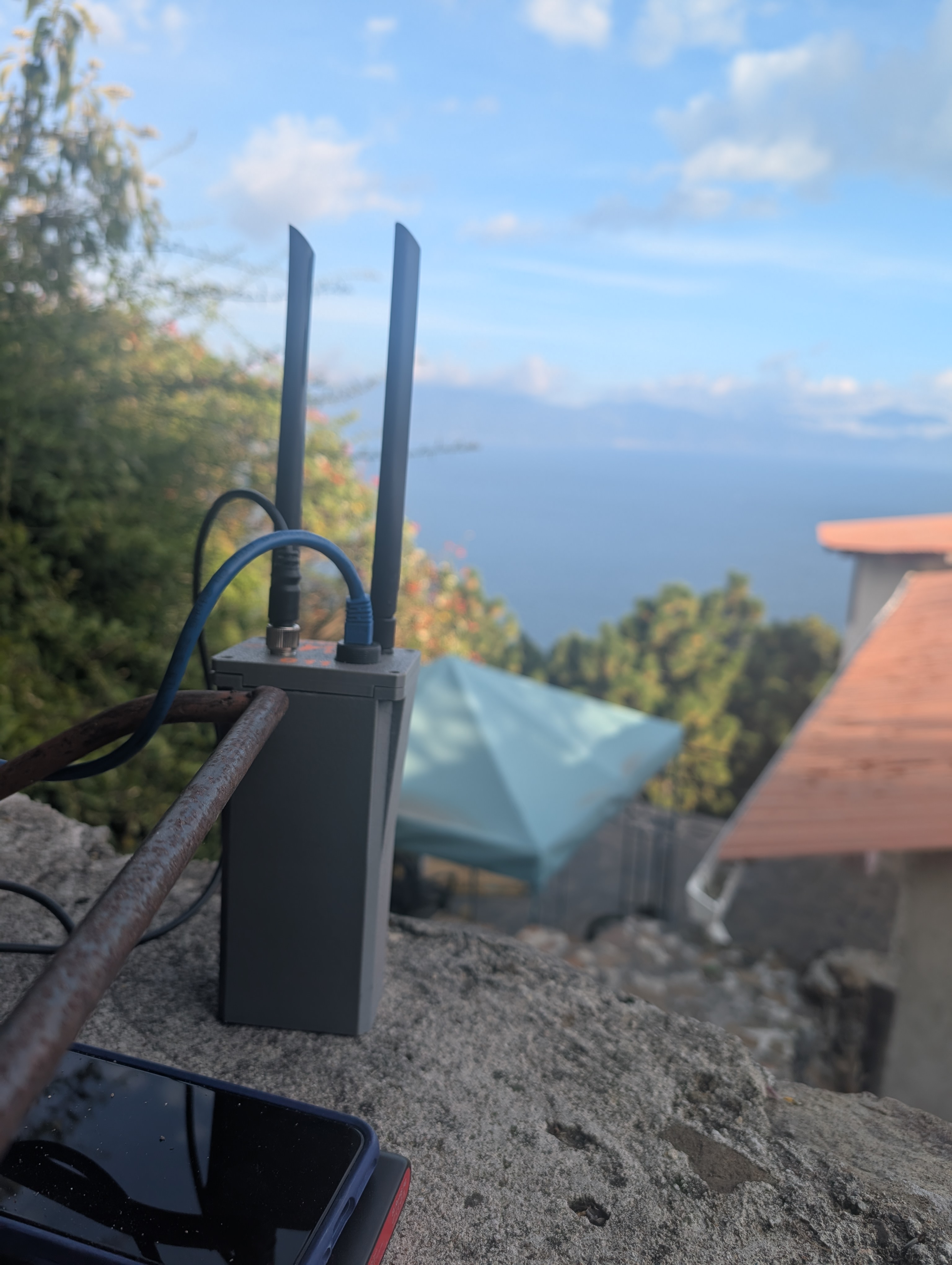
A stationary Nucleus node was staged at ~48 meters above the lake, the stationary node's Meshtastic radio was set into range test mode. The second node was taken via boat onto the lake. Wi-Fi connection was tracked via the mobile node's web interface. The mobile node's Meshtastic radio in range test mode received sequential pings from the base node.
Base node
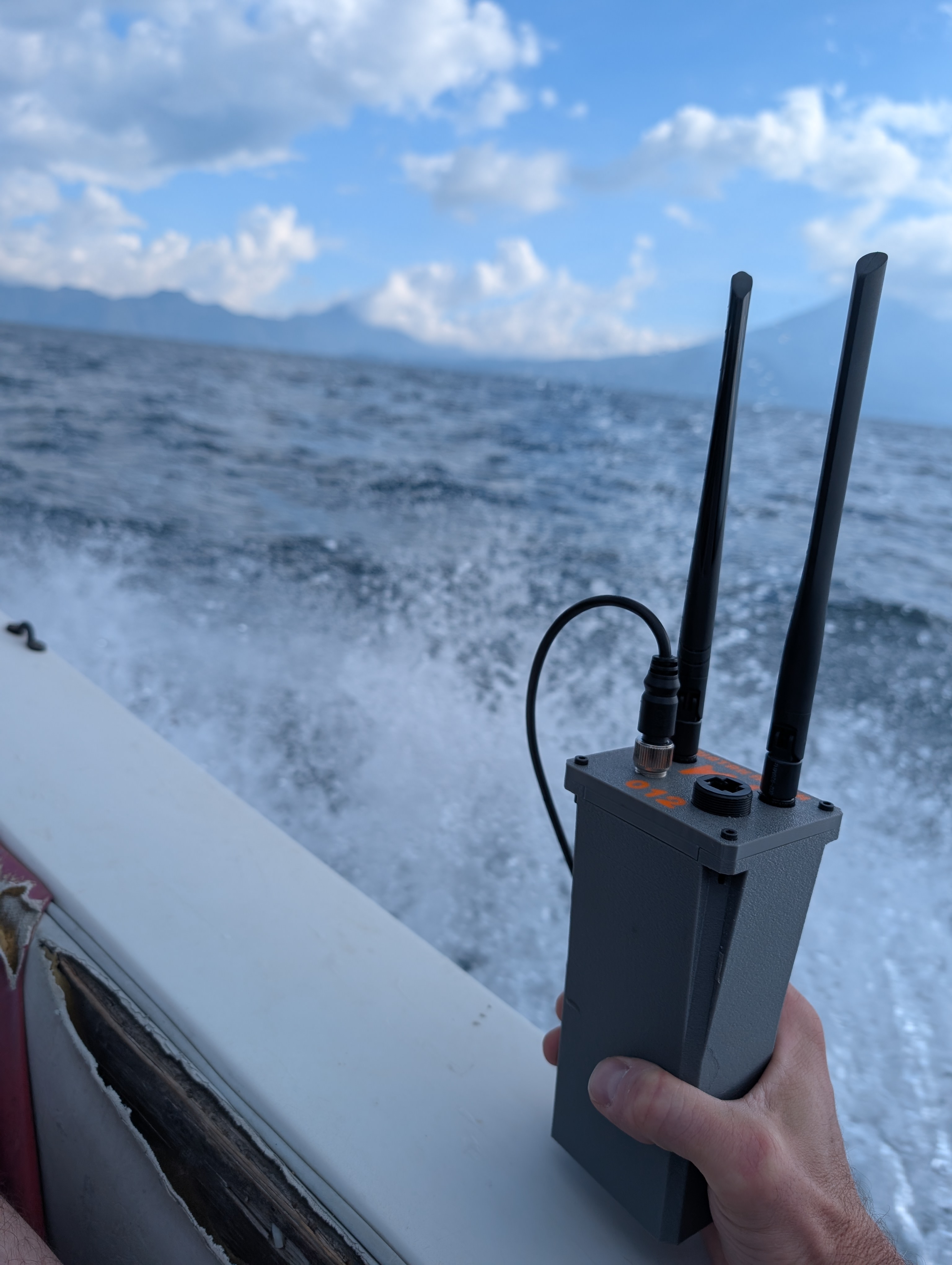
Mobile node
Results
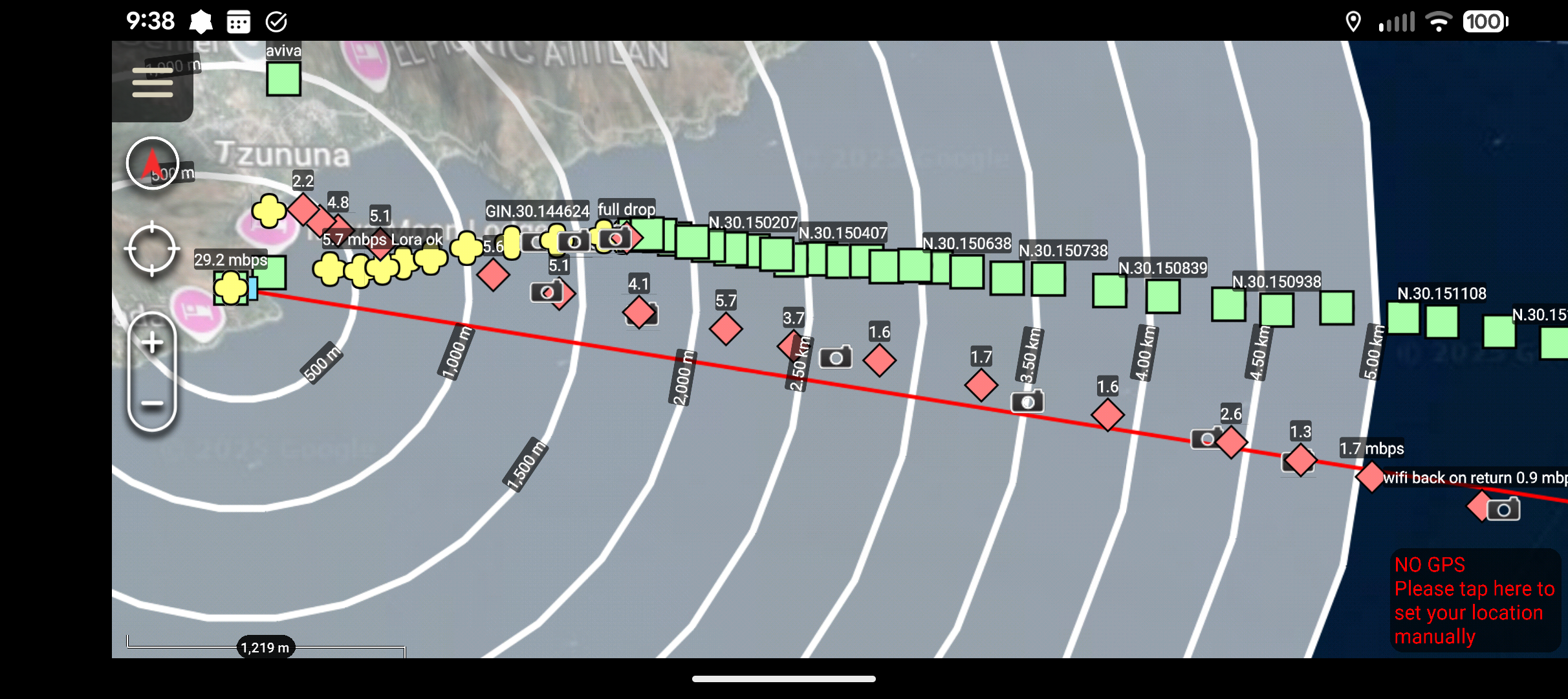
- On the outbound trip WiFi connectivity suffered a fast throughput fall off from 5.7 Mbps to ~2.9 Mbps at around 1,600 meters and had full cut out before 1,700 meters. See Figure 1.
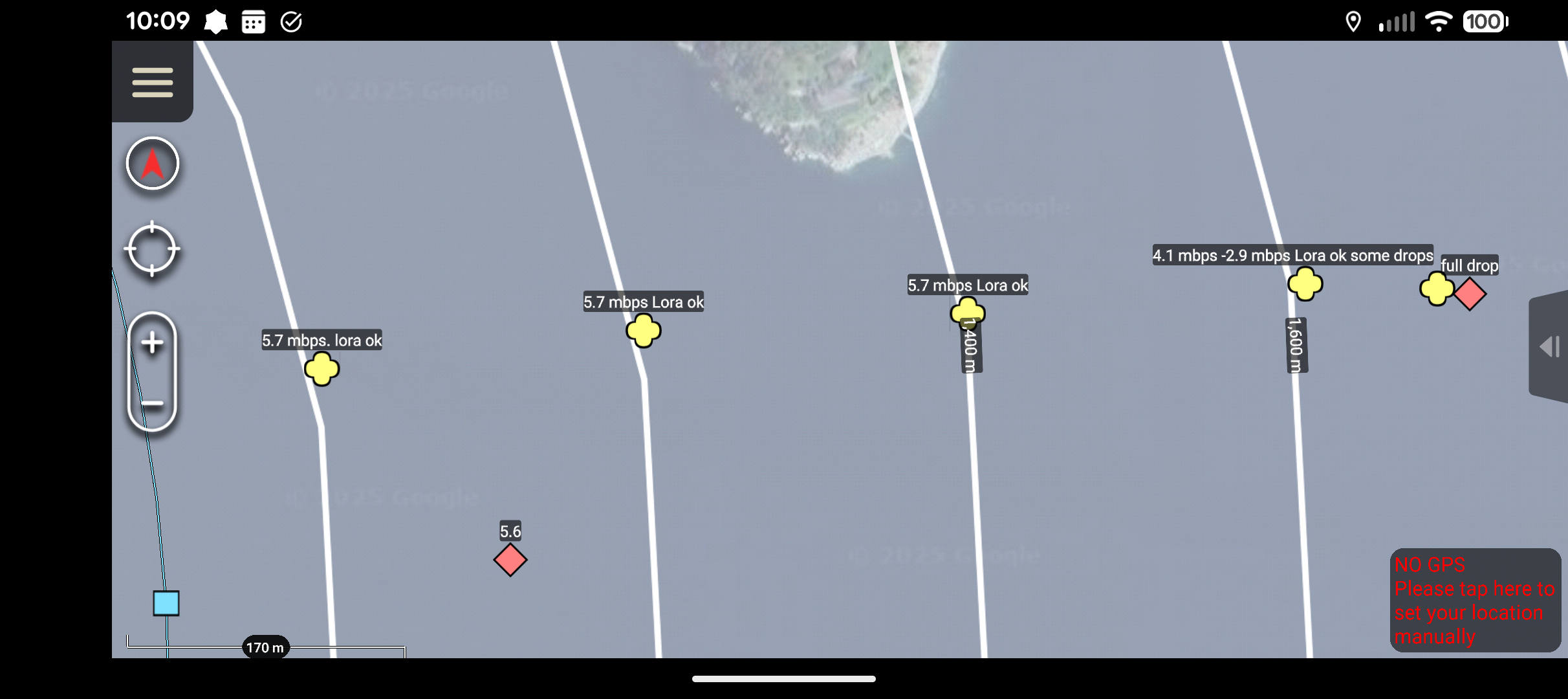
Figure 1
- Test continued across the lake tracking LoRa pings. No issues out to 12.26 km at which point we ran out of lake and began the return trip. See Figure 2.
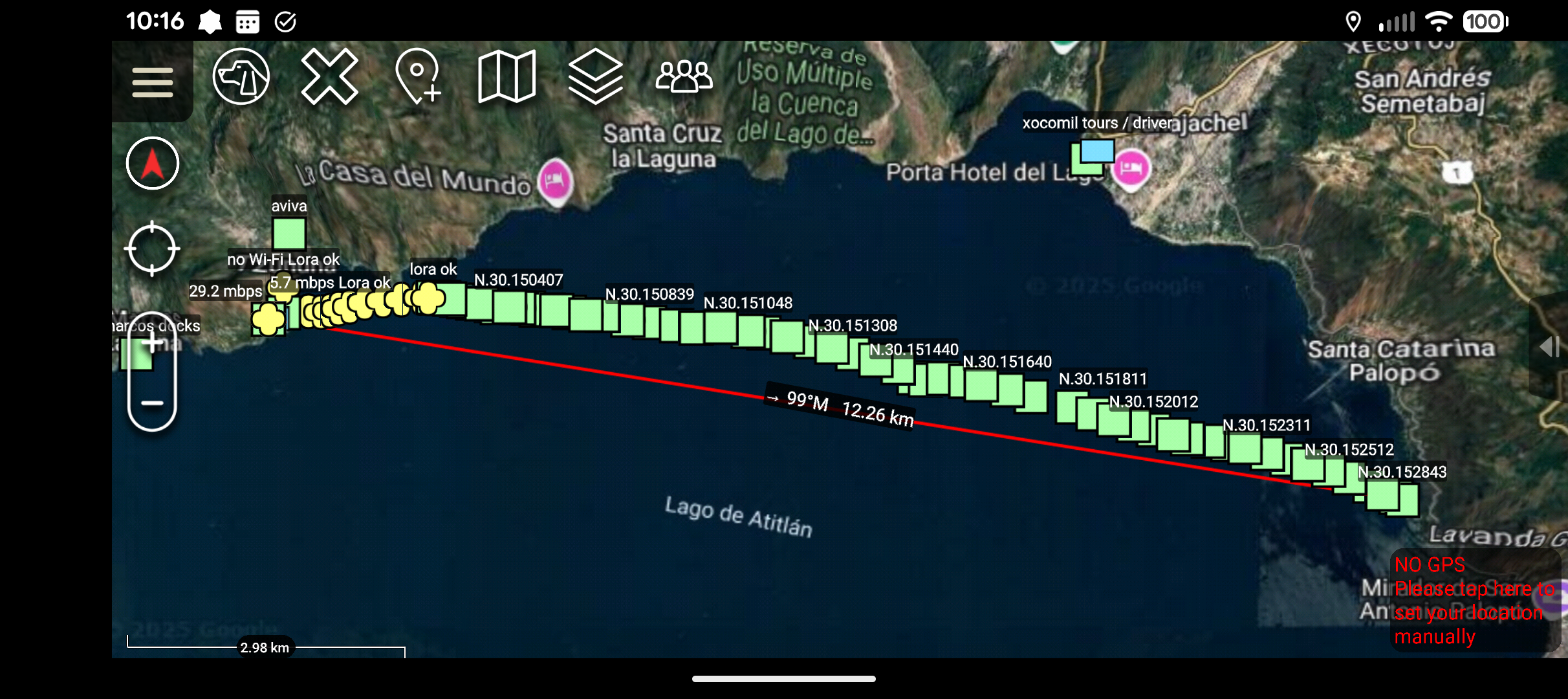
Figure 2
- On the return trip, on a slightly different heading than the outbound trip, the WiFi radio established a mesh connection at ~5.5 km. See Figure 3. From there throughput improved, reaching ~4 Mbps between 2 and 2.5 km improving as we got closer to the base node. Note the throughput drop off at around 500m is likely due to terrain shadowing between the base node and the dock. See Figure 4.
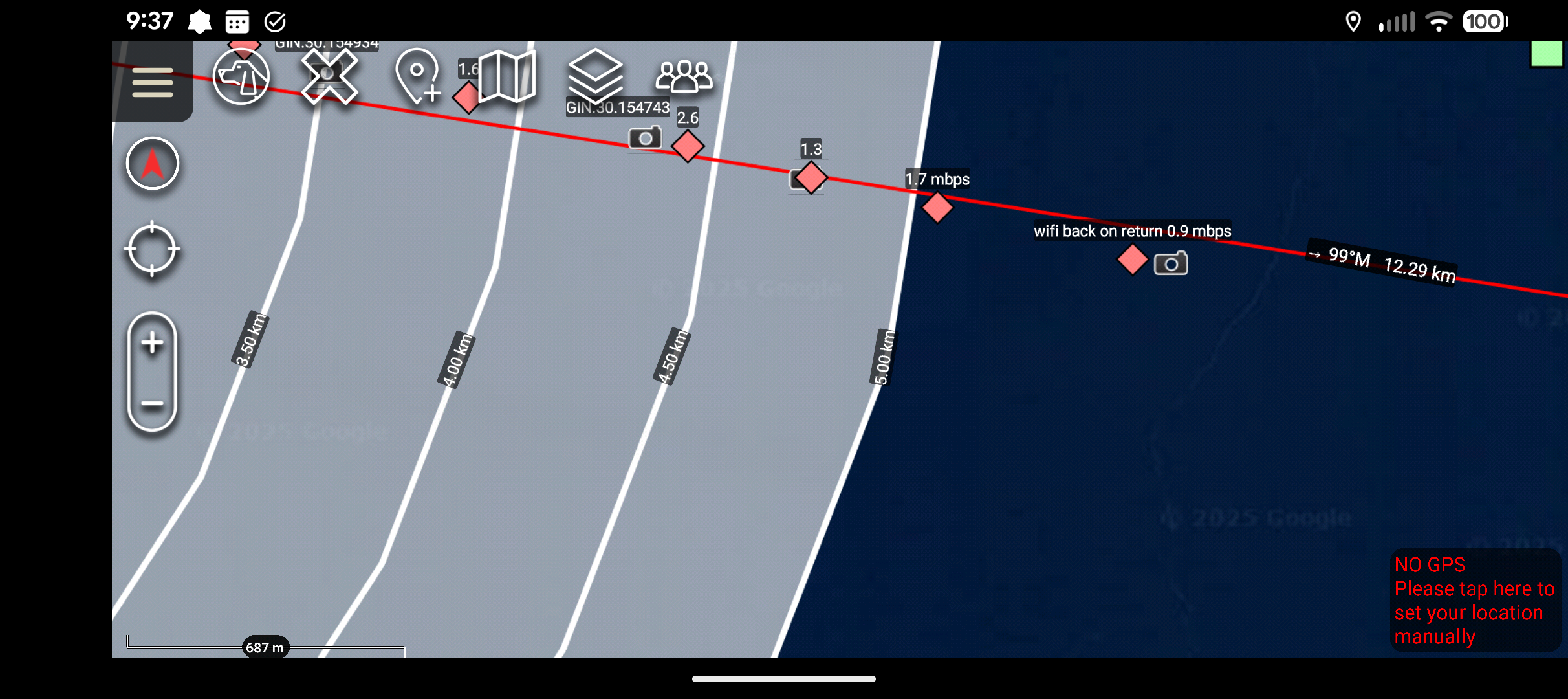
Figure 3
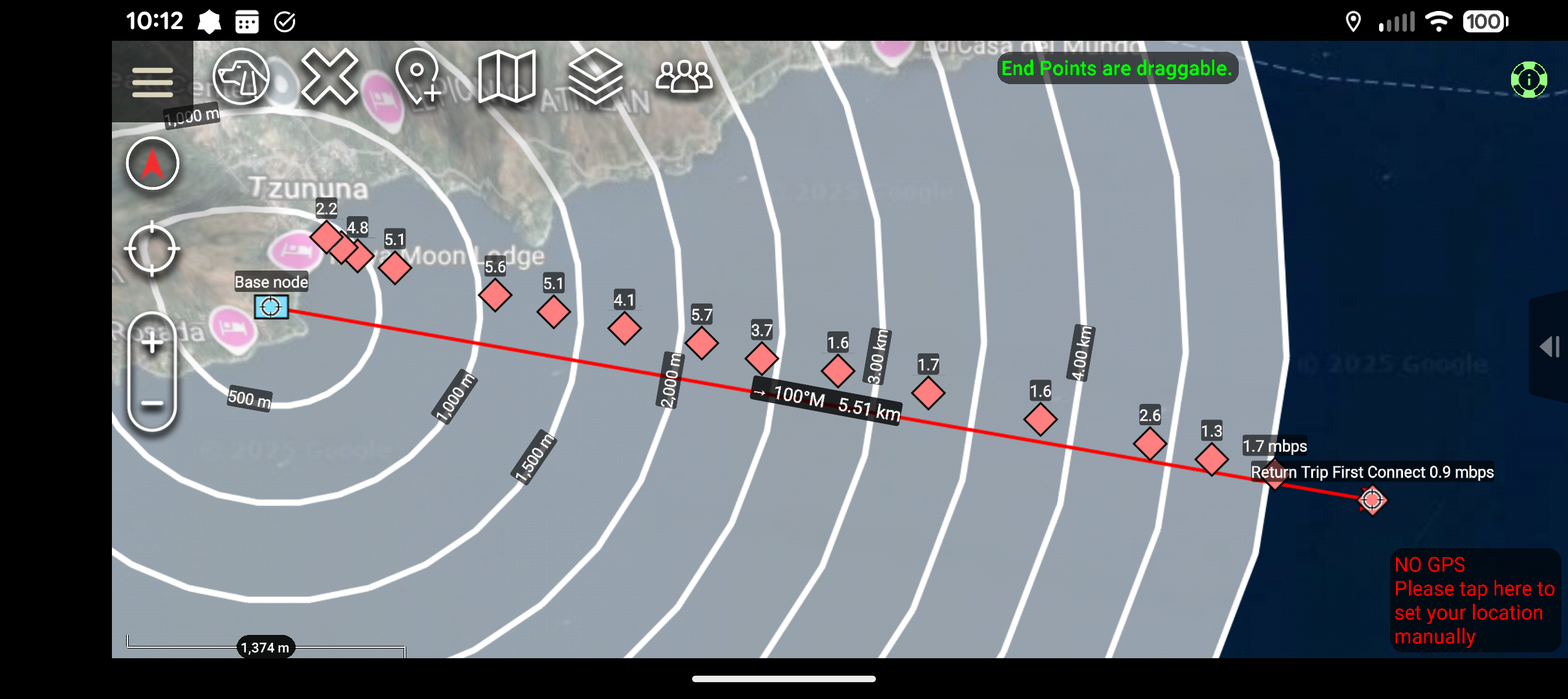
Figure 4
WiFi Range Test
This test measures the maximum effective range of the WiFi mesh network between two Nucleus V1 nodes. These results are specific to the WiFi connection capabilities of the devices.
Test Setup
- Environment: Open field with clear line of sight
- Equipment: Two Nucleus V1 nodes with standard antennas
- Node Configuration: Both nodes at approximately 4' elevation, one static and one mounted on an OHV
- Measurement: Batman mesh statistics used to monitor data rates
WiFi Connection Results
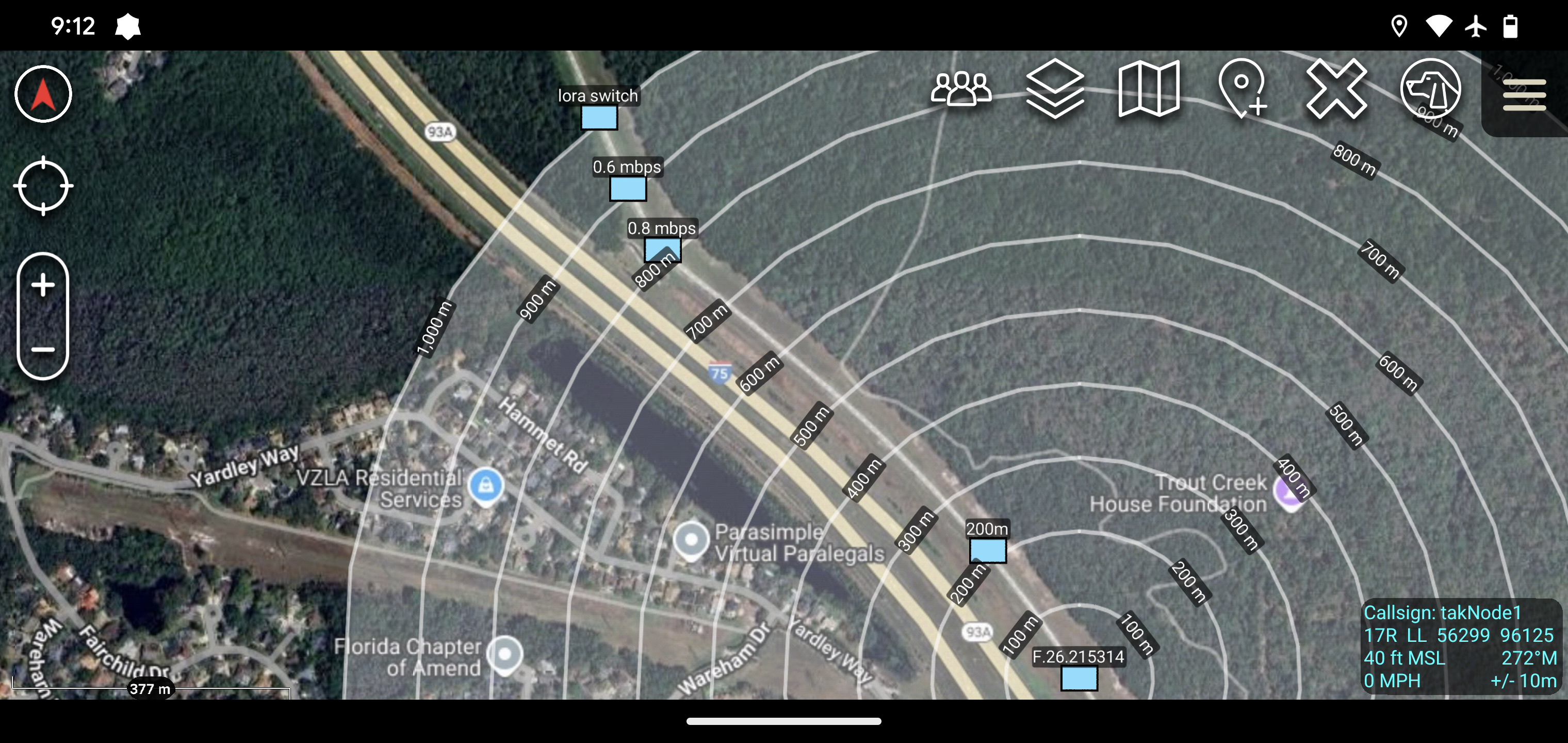
- 800m: WiFi data rate dropped below 1 Mbps
- 900m: WiFi connection still maintained as shown in the image
- 900m-1km: WiFi connection completely lost
WiFi Throughput at Various Ranges
This test measures the WiFi data throughput capabilities of the Nucleus V1 nodes at different distances. All measurements reflect WiFi connection performance only.
Test Setup
- Environment: Test environment with varying terrain and obstacles
- Equipment: Three Nucleus V1 nodes with standard antennas
- Node Configuration: Node 1 (mobile) carried at ~4' elevation, Node 3 mounted at ~4' elevation, Node 2 placed at 0' elevation near ground clutter but with line of sight to Node 3 to force hopping behavior on the mesh
- Measurement: BATMAN mesh statistics used to monitor throughput rates
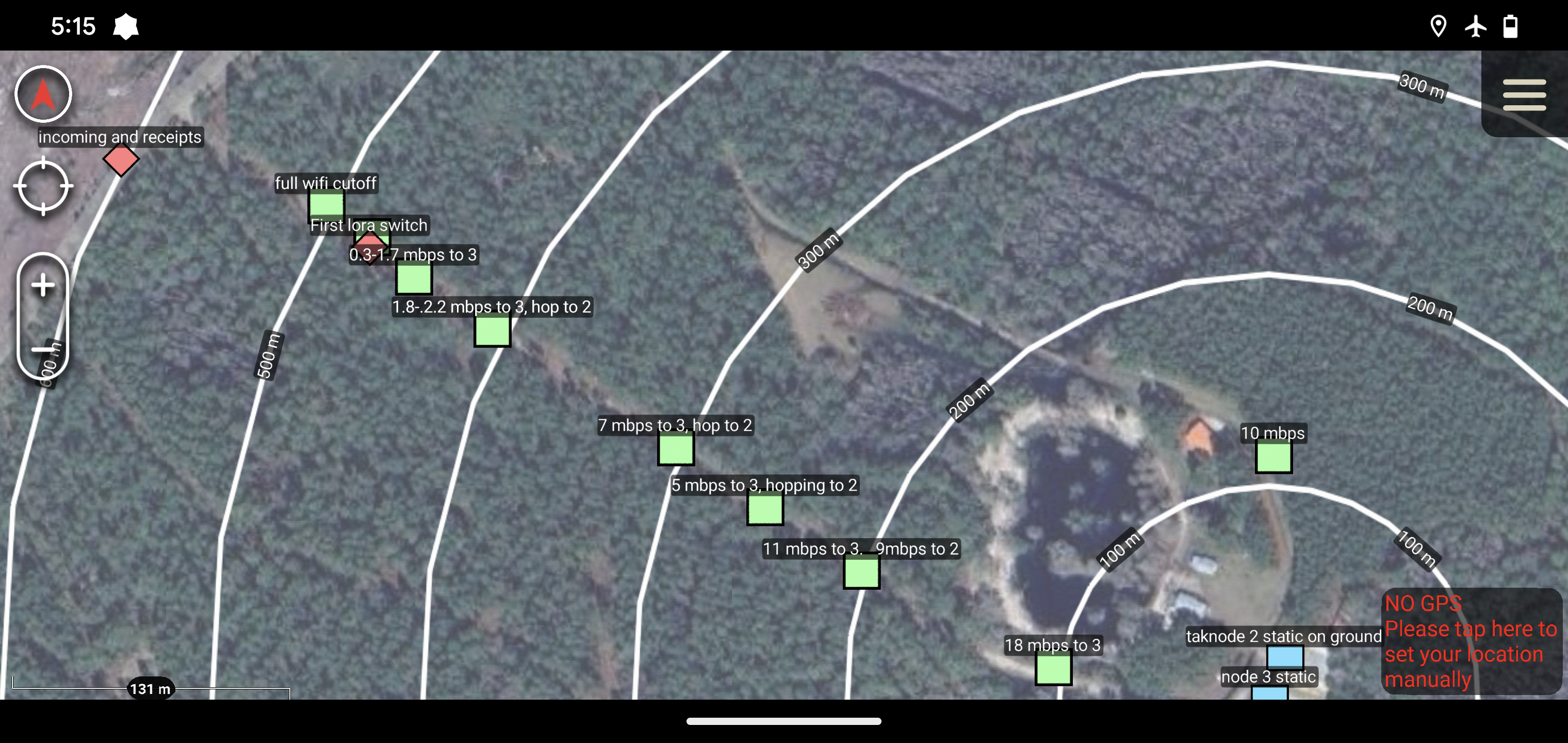
- Note: Data points related to "lora switch" were from an older version without full Meshtastic integration and are not relevant to this WiFi range discussion
WiFi Connection Results
- Clear Line of Sight: Good WiFi throughput maintained up to ~300m
- Obstructed Line of Sight: Trees blocking direct LoS reduced maximum WiFi range to ~500m
- Performance Drop-off: Sharp decrease in WiFi throughput after ~300m
- Maximum Range: WiFi connection completely lost beyond ~500m with obstructions
Additional WiFi Throughput Test
This test provides additional data on WiFi throughput capabilities under different conditions. All measurements shown are exclusively for WiFi connections.
Test Setup
- Environment: Test environment with more Line of Sight (LoS) obstructions than the previous test
- Equipment: Two Nucleus V1 nodes with standard antennas
- Node Configuration: Both nodes at approximately 4' elevation with direct connection between them
- Measurement: BATMAN mesh statistics used to monitor throughput rates
- Note: Data points related to "lora mode" were from an older version without full Meshtastic integration and are not relevant to this WiFi range discussion
WiFi Connection Results
- Throughput with Obstructions: WiFi throughput drops sharply once Line of Sight (LoS) is obstructed, down to approximately 1 Mbps by 300 meters
- Connection Stability: WiFi dropouts become noticeable at 350 meters, with WiFi connection mostly lost by 400 meters
- North Side Test Area: From 250m to 320m in relatively clear LoS, only a mild drop in WiFi throughput was observed
- Impact of Obstructions: Adding obstructions from 320m to 370m produced an extreme cut in WiFi throughput
- Conclusion: Line of Sight obstructions have a significant impact on WiFi throughput and connection stability, with a much sharper performance drop-off compared to clear LoS conditions
Meshtastic Radio
The Nucleus V1 includes an onboard RAK4631 Meshtastic radio for longer-range communication. While WiFi provides high-bandwidth connections at shorter ranges, the Meshtastic radio enables much longer-range communication with lower bandwidth.
Meshtastic Range Tests
- For detailed range test data on Meshtastic radios, please visit the official Meshtastic range tests documentation.
- Our field testing has made connections easily at ~8 miles.
- With the large knowledge base of Meshtastic users already documenting performance, we currently focus primarily on WiFi performance testing since Meshtastic performance characteristics are well-established.
The node uses 5V via the provided USB A > M12 cable. Current draw during operation is ~0.5 A.